
The League of Legends client refuses to launch, the game freezes in the middle of a teamfight, or the screen displays “Attempting to reconnect” while your browser works perfectly. These situations affect a large number of players, and the cause is almost never unique. Understanding where the problem comes from before adjusting settings helps avoid wasting time on unnecessary manipulations.
Regional outage or local bug: the diagnosis that changes everything
Have you ever restarted the client three times only to discover that the server in your region was simply offline? This reflex wastes time. In 2024-2026, incidents of League of Legends service are increasingly partial and limited to a single region. A European shard may go down while North American servers are functioning normally.
Before changing anything on your machine, check the service status. The official Riot status page and third-party tools like Downdetector allow you to find out in seconds if the problem is with the infrastructure. If other players in your region report the same issue at the same time, there’s no need to reinstall or change your DNS.
A comprehensive overview of League of Legends bugs on Vox Libris allows you to cross-reference your situation with recently documented incidents and quickly identify whether your case is isolated or collective.

Client launch failure after a patch
A significant portion of the perceived “outages” in 2026 does not correspond to offline servers. The problem stems from a patch that did not apply completely. The client attempts to start with partially updated files, fails, and the player concludes there is a general outage while the infrastructure is functioning.
Force the completion of the update
The first thing to do is to completely close the Riot client (including from the taskbar) and then restart it. This simple restart often triggers the resumption of the interrupted download.
If the problem persists, the built-in repair tool in the client allows you to check the integrity of the files. You can find it in the Riot launcher settings, under the repair option. The process scans the game files and re-downloads those that are corrupted or incomplete.
- Close all Riot processes in the task manager before restarting, as a ghost process can sometimes block the update.
- Temporarily disable your antivirus: some security software quarantines files from the patch being downloaded.
- If the repair fails, delete the “Logs” folder from the League of Legends directory and then restart. This folder does not contain any game data, but its corruption can block the launch.
In-game connection issues: latency, stuttering, and disconnections
Riot identifies three possible sources of connection problems: their own servers, the player’s internet service provider, and the local network. Once the outage on Riot’s side is ruled out (see the first section), the diagnosis focuses on your setup.
Wired connection vs. Wi-Fi
Switching from Wi-Fi to an Ethernet cable reduces latency and stabilizes the connection. Wi-Fi suffers from interference from other devices connected to the home network. An Ethernet cable eliminates this variable.
If a cable is not feasible, reduce the number of active devices on your network during your games. Streaming video on another device consumes bandwidth and can cause spikes in latency.
VPN and proxy: hidden sources of latency
A VPN adds an intermediary between your machine and the game server. Even a fast VPN introduces additional delay. Disable any VPN or proxy before launching a game. If you are using a VPN at the router level, test without it to isolate the cause.
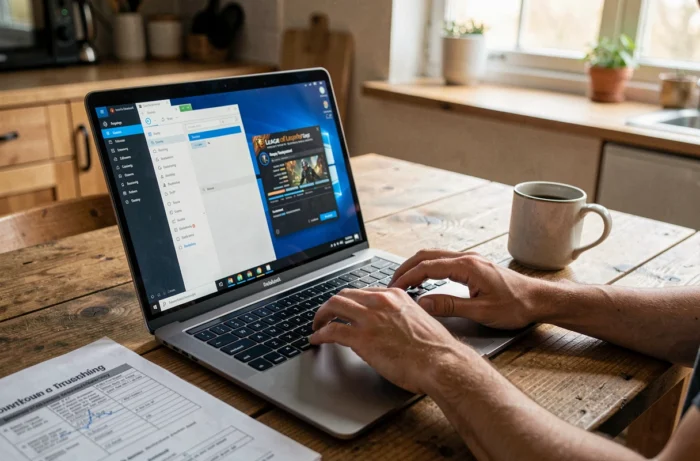
Software fixes on the system side for League of Legends
Some bugs do not come from the network or Riot servers, but from a conflict between the game client and the operating system or third-party software.
Graphics drivers and compatibility
An outdated graphics driver can cause crashes in-game, missing textures, or a black screen at launch. Update your drivers from the manufacturer’s website (NVIDIA, AMD, or Intel) rather than through Windows Update, which sometimes offers generic versions less suited for gaming.
Firewall and security software
The Windows firewall or third-party antivirus may block communications between the LoL client and Riot servers. To test this hypothesis:
- Add the League of Legends installation folder to your antivirus exceptions.
- Allow the Riot client and the game process in your firewall rules.
- Test with the firewall temporarily disabled. If the problem disappears, it confirms that filtering is blocking game traffic.
Riot regularly publishes targeted fixes in its patch notes. The 2026 patches 26.17 and 26.18, for example, included client stability fixes. Checking the patch notes after an update helps understand if a known bug has been fixed or if it persists.
The most cost-effective reflex when facing a problem in League of Legends remains to diagnose before acting: check the server status, identify whether the issue is network or software-related, and then apply the appropriate fix. Most blockages can be resolved without reinstallation, provided you follow the correct order.