The app locking feature on Android has changed significantly since 2024. Manufacturer overlays now integrate native mechanisms that make third-party AppLock-type applications largely unnecessary on recent devices. We review the technical approaches that matter, distinguishing between what is merely a gadget and what truly protects your data.
App Isolation with Android 15 Private Space
The Private Space feature introduced in Android 15 is not just about hiding an icon. It creates a secondary user profile linked to a Google account separate from the main profile. Applications installed in this private space have their own storage, notifications, and cache.
In practice, this means that someone accessing your unlocked phone cannot see the apps or data housed in the Private Space. Locking is done via a code, pattern, or fingerprint, independently of the main device unlock.
We recommend this approach for banking apps, sensitive messaging, and photo galleries. Android profile-level isolation is technically more robust than a simple password overlay by a third-party app, as data remains compartmentalized even in the event of root access.
For those who wish to lock an application on Android without using a separate profile, the native functions from manufacturers offer an intermediate alternative that we detail below.

Native Locking by Manufacturer: Samsung, Xiaomi, OnePlus
Manufacturer overlays have caught up. On models released since 2024, using a third-party locking app is the exception, not the norm.
Samsung Secure Folder
The Samsung Secure Folder operates on the same isolation principle as Google’s Private Space, but with a more established and mature integration. It leverages the Knox platform and allows for duplicating or moving applications. The locking accepts PIN, pattern, password, and biometric methods.
A often overlooked point: files created in the Secure Folder are not visible to standard file managers, even those with extended permissions. Knox encrypts the application container with a hardware-linked key, providing a higher level of protection than a simple locking overlay.
Xiaomi HyperOS and OnePlus
Xiaomi offers a native App Lock accessible from Settings, Security and Privacy, then App Lock. Each application can be individually protected by fingerprint or dedicated PIN. OnePlus provides a similar path in its privacy settings.
These implementations are still less robust than Samsung’s Secure Folder or Android 15’s Private Space: they add a lock screen in front of the application but do not compartmentalize data at the file system level.
Real Risks of Third-Party Locking Apps
Third-party apps like AppLock pose an attack surface problem. They require extensive permissions to function: accessibility, screen overlay, access to notifications. Each of these permissions represents a potential exploitation vector.
- The accessibility permission allows the app to read the content displayed by other apps, which is paradoxical for a tool meant to protect your data
- The screen overlay (SYSTEM_ALERT_WINDOW) is the mechanism used by some malware to display fake login interfaces
- Access to notifications, often requested to hide previews, gives the third-party app the ability to read all of your incoming notifications
On a device with a native locking function, installing a third-party app means granting more permissions for less security. We observe that the majority of users who install these tools already have the functionality in their system settings without realizing it.
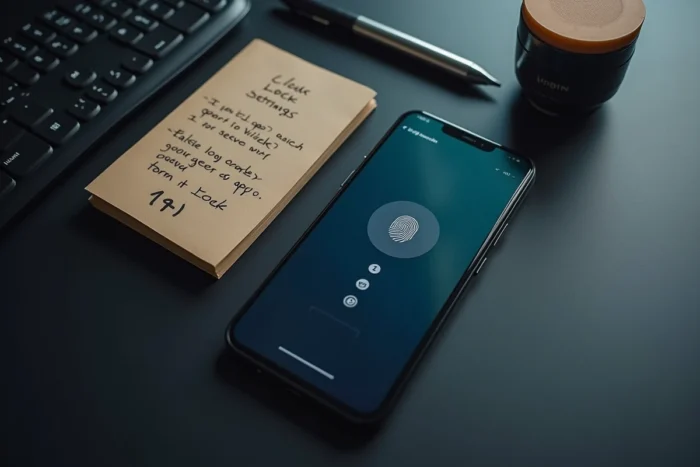
Often Overlooked Android Settings That Enhance Protection
Beyond strict app locking, several native settings help limit the exposure of your data when a third party handles your unlocked phone.
- Disabling notification previews on the lock screen (Settings, Notifications, Lock screen notifications) prevents reading messages without unlocking the device
- Enabling automatic locking after a short delay (30 seconds maximum) reduces the exposure window in case of forgetfulness
- Regularly revoking unused permissions via Settings, Apps, Permission Manager limits what each app can collect in the background
- Enabling biometric verification for purchases on Google Play prevents unauthorized purchases without a fingerprint or facial recognition
The combination of native locking and strict permission management covers nearly all scenarios of data leakage related to unauthorized physical access to the phone.
App locking is only valuable if it is part of an overall hygiene. A Private Space protected by a trivial PIN or a Samsung Secure Folder with a password identical to the lock screen password offers only an illusion of security. Choosing a distinct code for each layer of protection remains the simplest and most effective measure to compartmentalize access to your data.